Within the last year, gaming handhelds have blown up. There are a few different handhelds to pick from now. Earlier this year we checked out the Lenovo Legion Go S at CES pre launch.
They announced two versions of the Legion Go S handheld. One version running Windows OS (white handheld) which was relased in the beginning of the year and the Nebula Violet version that came out a couple of months ago, that runs SteamOS. The handheld running Windows, came out soon after CES. The SteamOS version was just recently released.
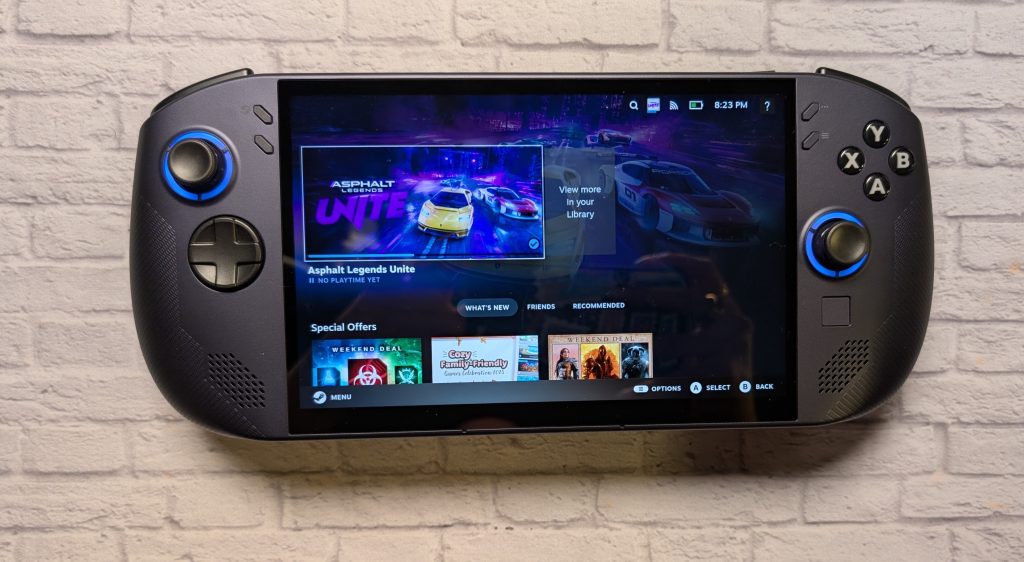
Depending on your software preference and how powerful you want your handheld to be, you have four choices. They all run AMD Ryzen chips. It’s the first handheld outside of Valve’s SteamDeck handheld device that is running SteamOS . For the past several weeks, I got to play with the Legion Go S running SteamOS on an AMD Ryzen Z2 Go chip.
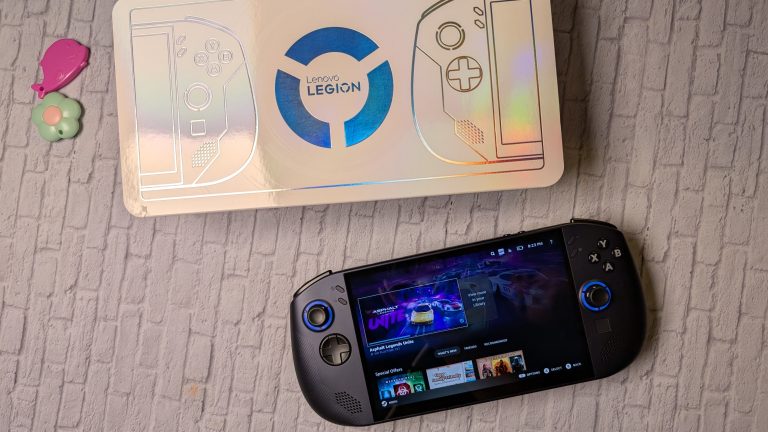
DESIGN OF THE LEGION GO S
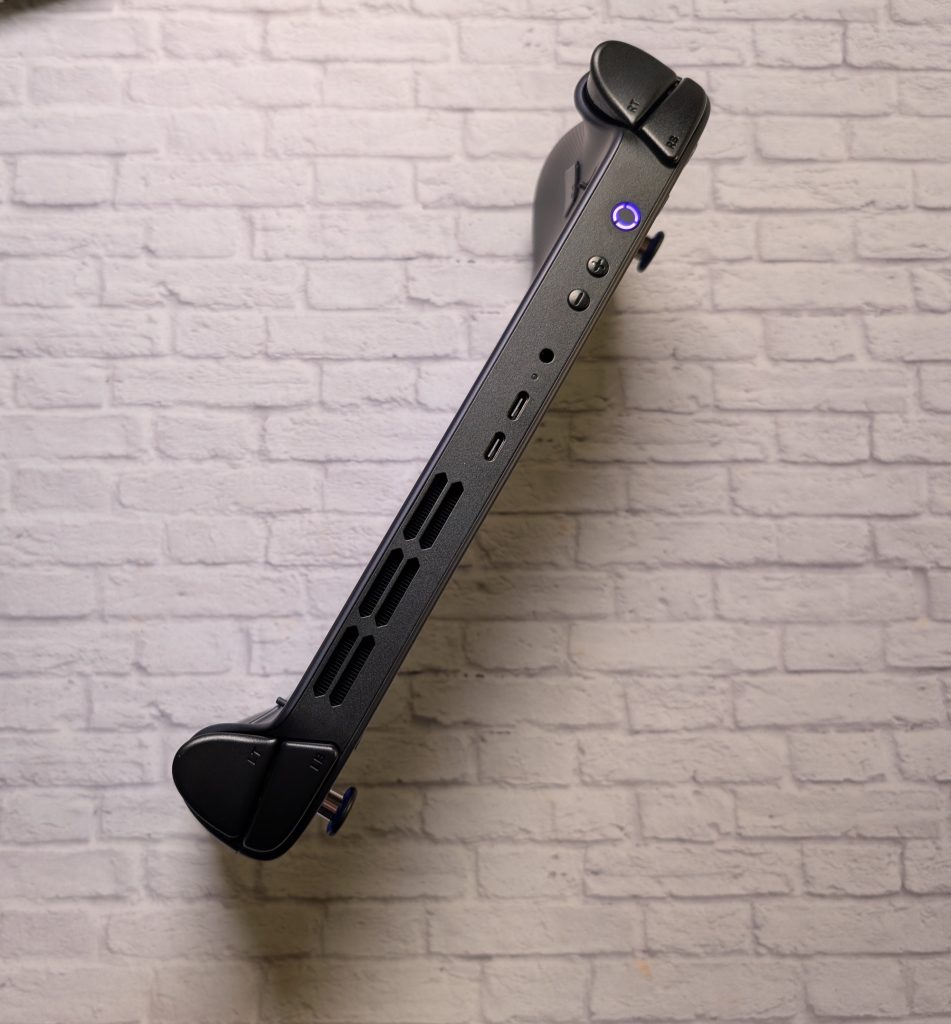
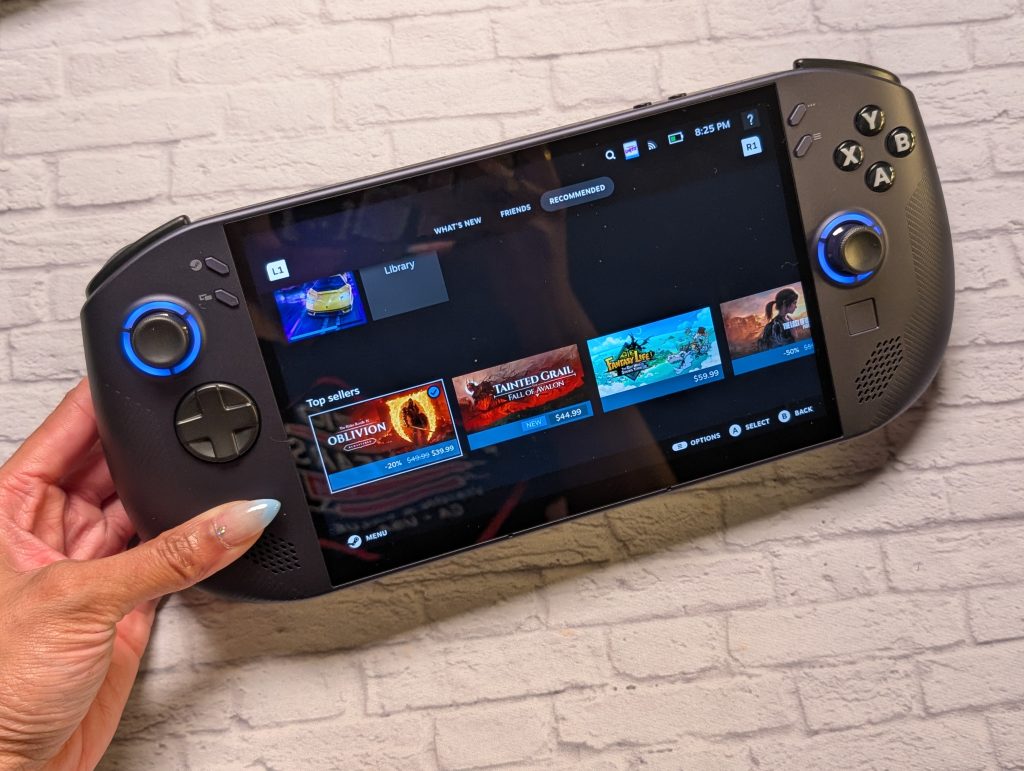
The Nebula Violet looks like a navy blue color in some lighting, just a beautiful color. The sharp 8-inch IPS VRR display has a 120hz refresh rate. There are two hall-effect joysticks, and a d-pad under the left joystick. There’s the Steam key between the joystick and the screen on the left side. On the right side, you have your A, B, X, Y buttons. There’s a small track pad under the joystick. There are speakers on each side of the screen, toward the bottom. They still face toward you, so The top border has the power button, volume and up down buttons, 3.5mm headphone jack, two usb 4.0 type c ports, and fan vents.
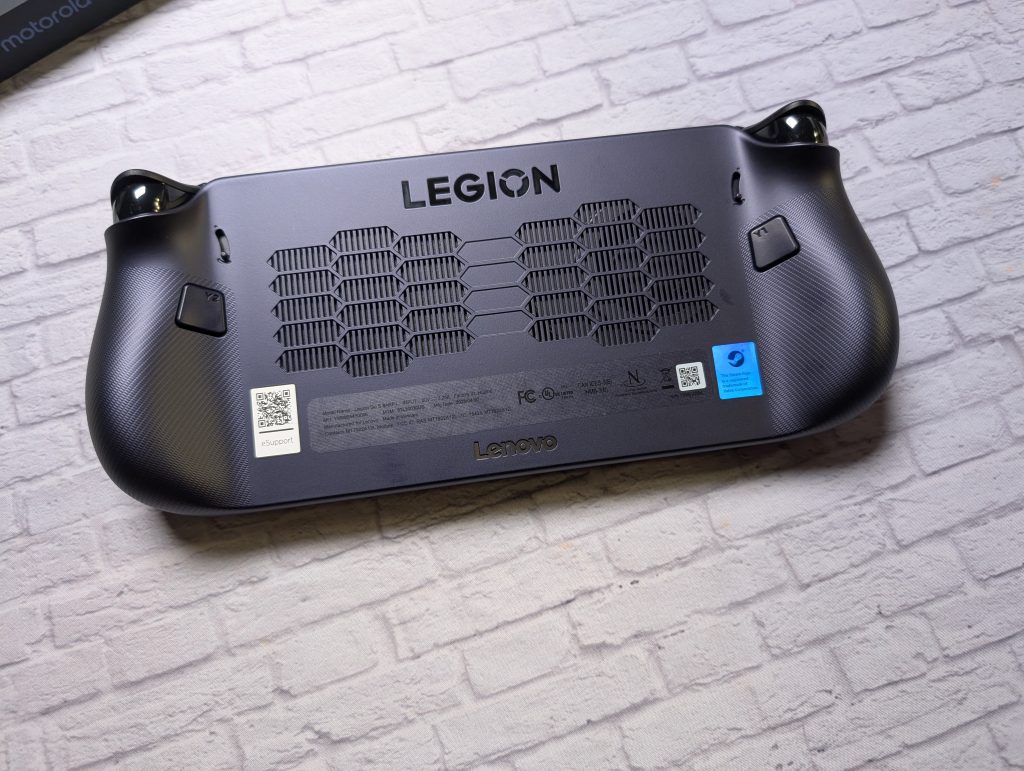
Of course you have a pair of bumper and trigger buttons on each side. The back of the Legion Go S handheld has the vents, trigger buttons, and switches to make right and left trigger buttons have shorter or longer travel range. The bottom border has the microSD memory card reader.
Overall the design and layout is gorgeous. The violet skews purple tone and it’s smooth.The rounded corners are softer, making the Legion Go S easy to hold and comfortable to use for long gaming periods.


DAY TO DAY EXPERIENCE
I am not a super gamer. I am more of a casual gamer and lately more of a mobile phone/tablet gamer. Portable handhelds are a great medium. I tried gaming on the Legion Go S at least once a day. I wanted to get a real feel of more than a casual player.
I prefer fighting games such as Street Fighter 6, Marvel vs Capcom, Tony Hawk Pro Skater. I also enjoy old school games like anything Sonic the Hedgehog. I am giving new games like “Stray”, a try.

While I don’t game outside often, there were a couple of instances where I had to kill time and gamed for a bit. The display has 500 nits of brightness, which got the job done. Perfectly usable outdoors. The colors wer bright enought. The variable refresh rate (VRR) comes into play often. Kept the gaming smooth most of the time. Fluid gameplay is more important to me than higher refresh game. Lag is incredibly frustrating.
I usually game at home or in the office so I usually had the speakers up at a medium volume. They face you, so you get decent sound. There’s no depth. Nothing special or surprising. Of course, if you want to be fully immersed in your game, you want to connect headphones.
The joysticks are stiff but still fluid. Even after gaming for over 45 minutes, button-clicking was still accurate on the d-pad.
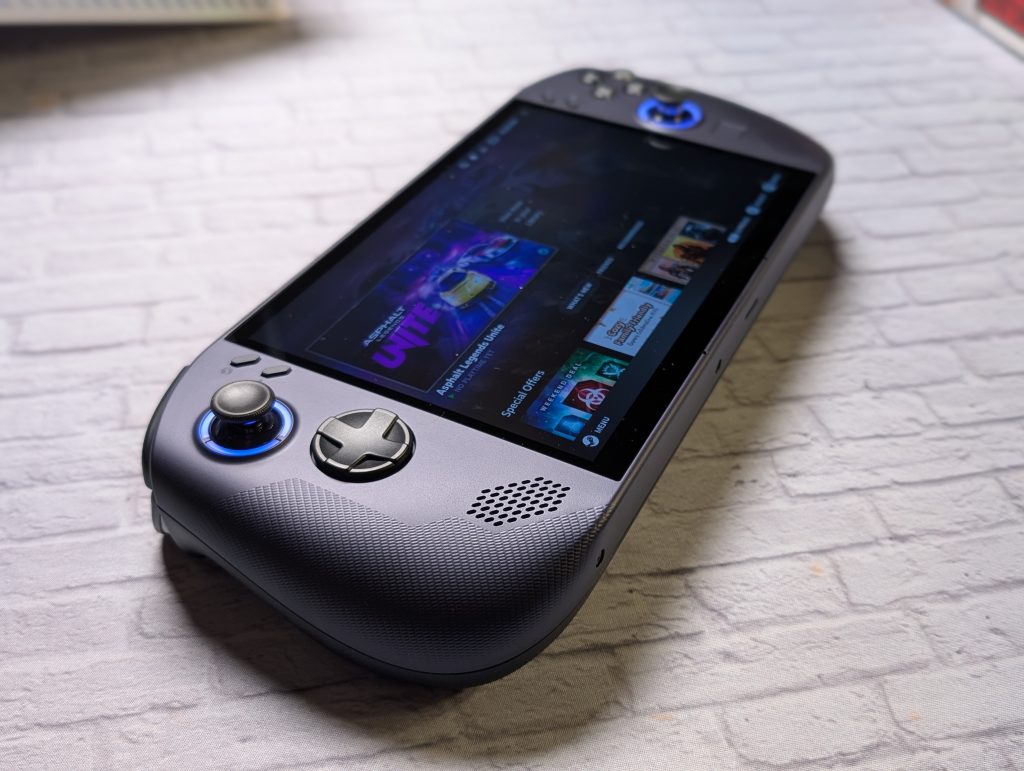
SteamOS runs very well. Being able to go straight into your Steam library is nice. No booting problems or setbacks. Knowing that the system will load quickly and that you’ll be gaming in a matter of minutes makes you want to game more. However, some games are more demanding than others.
While the AMD Ryzen Z2 Go chip allows for the handheld to be more power efficient, you’re trading that efficiency for performance sometimes. It depends on what kind of games you’re running. You have to lower the output, like lower resolution.

Once you power up the handheld, the fan starts to go hard. The Go S has one fan, that you can feel blowing up at you. There are vents on the back of the device to help it stay cool. The heat escapes through the top vents.
BATTERY LIFE ON THE LEGION GO OS
This is one area where the Z2 Go’s focus on efficiency pays off. The Legion Go S packs a large 55.5Whr battery, and when combined with the power-sipping Z2 Go chip and the efficient SteamOS, the battery life is a notable improvement. I never play more than nearly two hours straight. For both times at the two hour mark, the Legion Go S was nearly at 10 or 15% and was ready for a charge.
You can of course use the rapid charging via the usb-c ports on the top border to get you back into the game quickly.
VERDICT
I love the ergonomics of the Legion Go S. It’s comfortable to hold, doesn’t get too hot and doesn’t cause me fatigue. Love that I can pick it up and its a smooth transtition from loading to pausing a game for later. A more serious gamer, should get the higher end version with the AMD Ryzen Z1 Extreme chip. It’s more powerful, and has more storage. But of course, it has a higher price tag at $830 USD.
The AMD Ryzen Z2 Go version of the Legion Go S is for the casual gamer who has a decent Steam library. A decent display with a mostly smooth gaming experience for $600.

Lenovo Legion Go S - AMD Ryzen Z2 Go - SteamOS
$599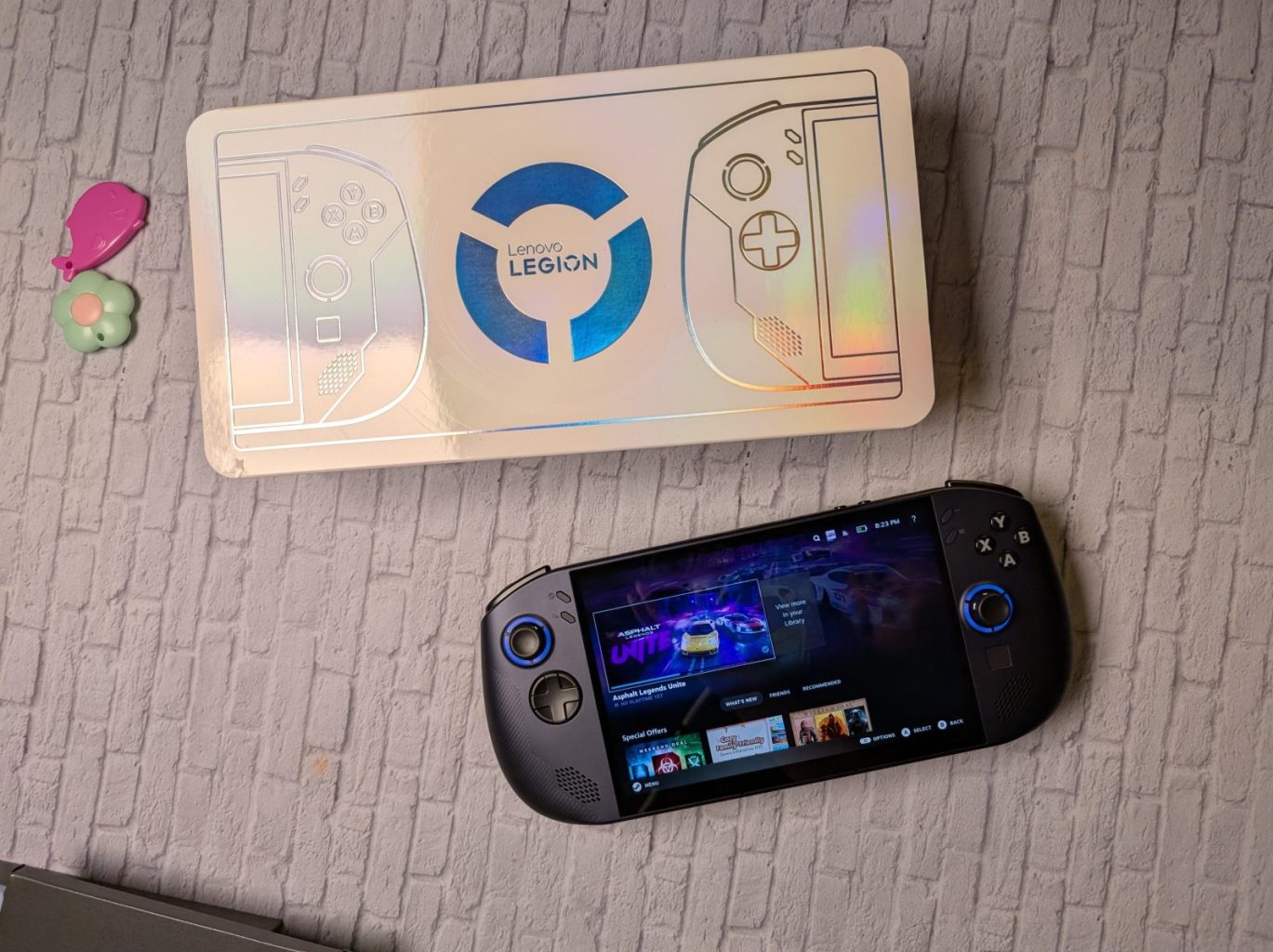
Pros
- Great Display
- SteamOS runs smoothly
- Ergonomics of device are comfortable
Cons
- Stutters sometimes with demanding titles
- Fan can get lou