[Written By External Partner]
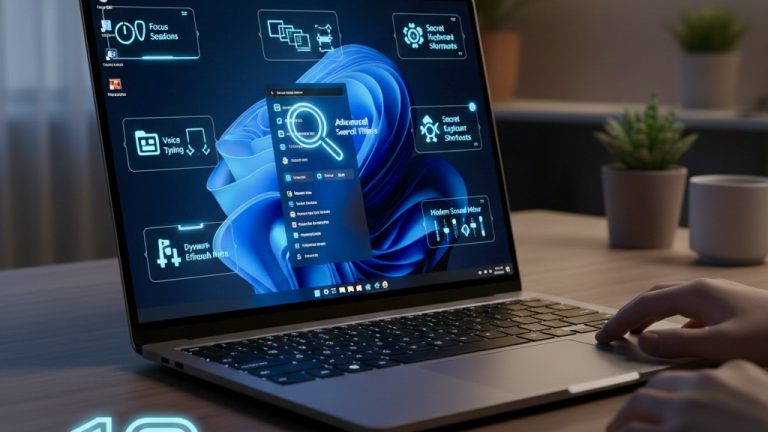
10 Hidden Windows 11 Features You’ll Wish You Knew Sooner
Windows 11 isn’t just a visual upgrade – it’s a full-on evolution of how your PC feels and functions. Sleeker, faster, and way more intuitive than its predecessors, it’s packed with clever features that most people don’t even know exist. Beneath that glossy interface lies a toolkit of hidden gems that can transform your everyday workflow, boost productivity, and even make your setup feel futuristic.
If you haven’t already explored everything your system has to offer, or if you’re thinking about activating your setup with a Windows 11 product key, it’s important to know how to easily get your hands on one. Legitimate PC keys can be bought through trusted digital marketplaces like Eneba, which offers region-specific information, instant code access, visible seller ratings, and solid customer support. You’ll be all set to unlock the full potential of Windows 11 in no time.
1. Focus Sessions: Built-In Productivity Mode
Forget about downloading third-party apps for concentration. Windows 11’s Focus Sessions (inside the Clock app) combine task tracking with Spotify integration and the Pomodoro method. You can time your sessions, listen to your playlist, and get notifications silenced while you work.
2. Snap Layouts & Snap Groups
Windows 11 takes multitasking to a new level with Snap Layouts: pre-set window arrangements that let you quickly organize multiple apps on screen. Once arranged, those apps stay grouped together as a Snap Group, making it ridiculously easy to jump between workflows.
3. Virtual Desktops for Different Lives
Whether you’re juggling work, gaming, or personal projects, you can now create multiple virtual desktops, each with its own wallpaper, icons, and open windows. One click, and you’re switching from “work mode” to “weekend gamer.”
4. Dynamic Refresh Rate
If you’re using a high-refresh-rate monitor, Windows 11 dynamically adjusts refresh rates to save battery and smooth animations only when needed. It’s a subtle upgrade, but it makes your entire UI feel buttery-smooth.
5. Widgets That Actually Matter
Forget the clunky gadgets of Windows Vista. Windows 11 widgets are lean, smart, and live on a customizable panel. Get real-time weather, stocks, to-do lists, or even sports scores – all powered by Microsoft’s adaptive AI recommendations.
6. Hidden File Explorer Shortcuts
The new File Explorer looks minimal, but it’s hiding some power tricks:
- Ctrl + Shift + N – instantly create a new folder.
- Alt + P – show or hide the preview pane.
- Ctrl + L – focus the address bar for lightning-fast navigation.
Once you start using these, your muscle memory will thank you.
7. Auto HDR for Games
Windows 11 introduces automatic HDR enhancements for DirectX 11 and 12 games, even if they weren’t originally designed for HDR. That means your older titles suddenly pop with more color, light, and depth – perfect for immersive gaming nights.
8. Clipboard History and Cloud Sync
Press Windows + V and you’ll open your clipboard history – a lifesaver for anyone who copies text, images, or links constantly. Even better? You can sync your clipboard across devices linked to the same Microsoft account.
9. The Command Bar in File Explorer
Gone is the old ribbon. The new Command Bar adjusts dynamically based on what you’ve selected, whether it’s images, folders, or documents, making it cleaner, faster, and surprisingly smarter than before.
10. Windows Sandbox: Safe Testing Zone
If you ever download suspicious software or open risky files, Windows 11’s Sandbox feature launches a temporary, disposable virtual environment. It’s like having a built-in quarantine zone that keeps your main system completely safe.
Why These Features Matter
Windows 11 isn’t just about aesthetics – it’s about control, flexibility, and simplicity. It quietly empowers you to streamline your tasks, optimize your PC, and protect your system – all while looking stunning. Once you unlock these hidden tools, you’ll wonder how you ever managed without them.
And if you haven’t upgraded yet, it’s easier than you think. You can easily grab a Windows 11 key through trusted digital marketplaces like Eneba to unlock the full experience and start exploring these hidden gems today.