[Written By External Partner]
Counter-Strike 2 (CS2) is a game of milliseconds. A single frame delay can mean the difference between landing a shot or getting eliminated. That’s why having a high-performance gaming monitor is essential for any serious player. Whether you’re looking for faster reaction times, smoother gameplay, or better visibility, choosing the right monitor will give you a major advantage.
But it’s not just about performance—a good monitor also makes CS2 skins look better. The vibrant colors of an AWP | Asiimov, the deep reds of a Talon Knife | Crimson Web, and the smooth animations when inspecting your skins are all enhanced with the right display.
What to Look for in a Gaming Monitor for CS2?
When selecting a gaming monitor, speed and clarity should be your top priorities. Here’s what matters most:
✔ Refresh Rate (Hz): 240Hz or higher is recommended for the smoothest experience. With CS2 running at high FPS, a faster refresh rate means you see enemies quicker.
✔ Response Time: Aim for 1ms or lower to minimize motion blur.
✔ Resolution: 1080p (Full HD) is the best for competitive play, as higher resolutions can lower FPS.
✔ Panel Type: TN panels offer the fastest response times, but IPS panels deliver better colors—great if you also want your CS2 skins to pop.
✔ Adaptive Sync: G-Sync (NVIDIA) or FreeSync (AMD) helps eliminate screen tearing and lag.
Best Gaming Monitors for CS2
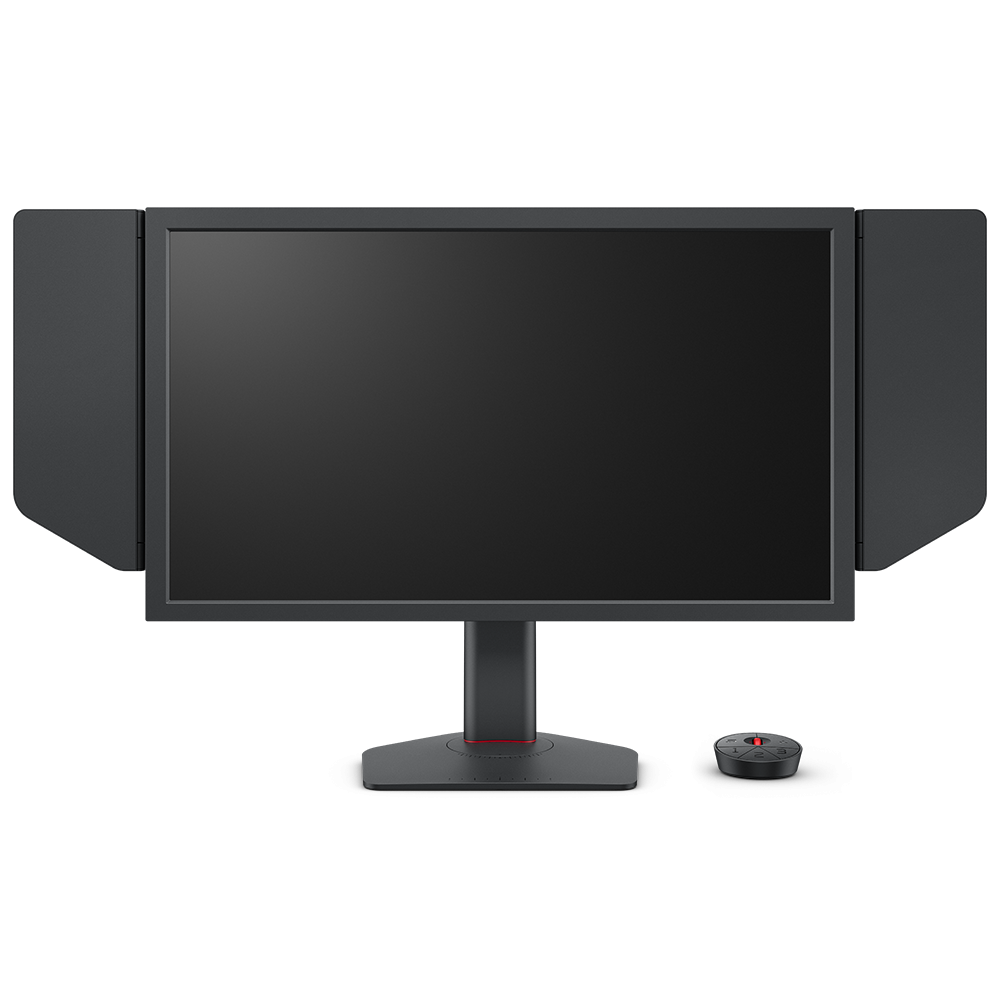
1. BenQ ZOWIE XL2566K (360Hz, TN Panel)
✅ Best for Pro Players
- 360Hz refresh rate for ultra-smooth gameplay
- DyAc+™ technology to reduce motion blur
- Black eQualizer for better visibility in dark areas
This monitor is used by top CS2 professionals, and for good reason. It delivers ultra-fast refresh rates and sharp visibility, perfect for competitive play.
2. ASUS ROG Swift PG259QN (360Hz, IPS Panel, G-Sync)
✅ Best IPS Option for CS2
- 360Hz refresh rate with G-Sync
- 1ms response time for minimal input lag
- IPS panel with vivid colors
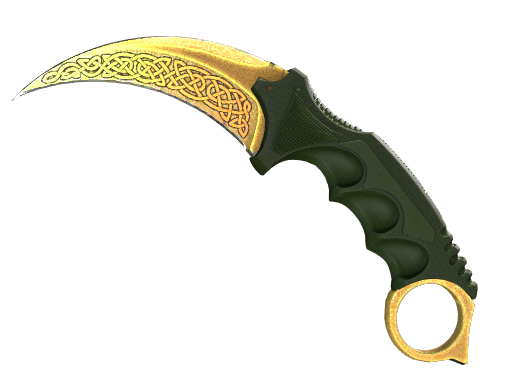
For those who want both speed and great visuals, this IPS monitor provides high refresh rates while making skins look more vibrant. If you love admiring your Karambit | Doppler, this monitor will make the colors stand out.
3. Alienware AW2524H (500Hz, G-Sync Ultimate, TN Panel)
✅ Fastest Monitor Available
- 500Hz refresh rate – the highest on the market
- 1ms response time for instant reactions
- G-Sync Ultimate for tear-free gameplay
This is the fastest gaming monitor ever released, offering insanely smooth gameplay for those who want every possible edge.
4. Acer Predator X25 (360Hz, G-Sync, IPS Panel)
✅ Best Balance of Performance and Color Accuracy
- 360Hz refresh rate & 1ms response time
- IPS panel for better color reproduction
- G-Sync support for smooth gameplay
If you trade CS2 skins and want both color accuracy and speed, this monitor is a solid choice. It delivers fast response times while also making skins like AWP | Dragon Lore appear sharper and more detailed.
5. ViewSonic XG2431 (240Hz, FreeSync, IPS Panel)
✅ Best Budget Option
- 240Hz refresh rate – still great for CS2
- IPS panel for good colors and viewing angles
- Blur Busters-approved motion clarity
For players looking for a more affordable but still high-quality option, this 240Hz IPS monitor provides excellent smoothness while keeping skins looking vibrant.
How a Good Monitor Enhances CS2 Skins?
A high-end gaming monitor doesn’t just improve your reaction time—it makes your skins look better too and add new game experience.
🎨 Better Color Accuracy: Monitors with IPS panels display skins with richer, more vibrant colors, making them look closer to how they appear in high-end CS2 screenshots.
⚡ Smoother Animations: A high refresh rate ensures that when you inspect a Karambit or flip an M9 Bayonet, the animation runs buttery smooth.
🖥️ Sharper Details: Features like HDR support and high contrast settings help skins stand out more, especially in maps with dark environments.
If you wont to trade CS:GO skins for money, investing in a good monitor helps you spot details and evaluate skin conditions more accurately.
Final Thoughts: Which Monitor is Best for CS2?
If you want the absolute best performance, go for a 360Hz+ monitor like the BenQ ZOWIE XL2566K or Alienware AW2524H (500Hz). If you want great visuals as well as speed, an IPS monitor like the ASUS ROG Swift PG259QN or Acer Predator X25 is a strong pick.
No matter what, a high refresh rate monitor is a must for CS2. Not only does it help you play better, but it also makes skins look more vibrant, detailed, and realistic. Whether you’re competing at the highest level or just admiring your inventory, the right monitor can elevate your entire experience.