[Written By External Partner]
Try squeezing a PC game’s controls onto a phone. The buttons eat up half the display, your thumbs hide the action and even simple movements become awkward. Developers couldn’t just shrink everything and expect it to work. They had to change how games played. Bigger targets helped with missed taps, while swipes and dragging replaced some of the commands once handled by buttons.
That also opened the door to different kinds of games. Fruit Ninja, for example, makes slicing across the glass the whole point. Its controls aren’t an adaptation of a keyboard or gamepad. They’re the game itself.
Try opening a drawer in The Room. Your finger performs the movement instead of pressing a button marked “interact.” That seemingly small choice caused a substantial development problem: how could the game distinguish opening a drawer from moving the camera?
Fireproof tried an on-screen mode switch. Players kept doing the wrong thing. The solution was to interpret the touch itself and respond accordingly. That decision helped make manipulating the game’s puzzle boxes feel convincing.
The Screen Became Part of the Controls
A gamepad keeps your hands away from the picture. A touchscreen controller puts them directly over it. Your thumb can hide the object you’re moving, and a finger held against the glass has no physical button edge to locate by feel.
Simply copying a console layout therefore creates problems. Virtual buttons occupy space needed for enemies, scenery and instructions. More buttons can mean less room to understand what’s happening.
Touchscreen game design asks developers to reconsider the action first. Does jumping need a permanent button? Could tapping the destination replace steering? Should a puzzle piece follow the finger rather than move through a separate directional pad?
The answer affects the game’s rules as much as its interface.
Some Games Benefit From Changing Buttons
Ex Astris shows why a fixed controller layout isn’t always the obvious goal. During exploration, a talk button appears beside a character when needed. Ingredients can be selected directly while cooking. Combat keeps characters and their available actions on screen rather than requiring players to navigate between separate lists.
Those interactions shorten the route between choosing something and doing it. They also create a trade-off: visible options consume screen space.
Good mobile game design doesn’t put every possible command on display. It presents the actions relevant to the current situation. A conversation prompt has little reason to occupy the screen while the player is fighting.
Levels Have to Leave Room for Fingers
Control placement reaches into level design. Imagine dragging a character through a narrow passage while your fingertip covers the next obstacle. Enlarging the character won’t necessarily solve that problem. The camera, passage width or movement system may need changing.
GlobalStep’s discussion of mobile levels emphasizes readable scenery, distinct interactive objects and tolerance for less precise inputs. Background detail must not compete with the information needed to move safely.
That doesn’t require shallow gameplay. A room can contain a difficult puzzle without filling every corner with tiny objects. Difficulty should come from solving the puzzle, not repeatedly missing the handle that opens its door.
Feedback Has to Replace the Button Click
A physical button moves under your finger. Glass doesn’t confirm a press that way.
Touch controls for games need other acknowledgments: a highlighted selection, a moving object, an animation or a sound. Without them, players may tap again because they cannot tell whether the first input registered.
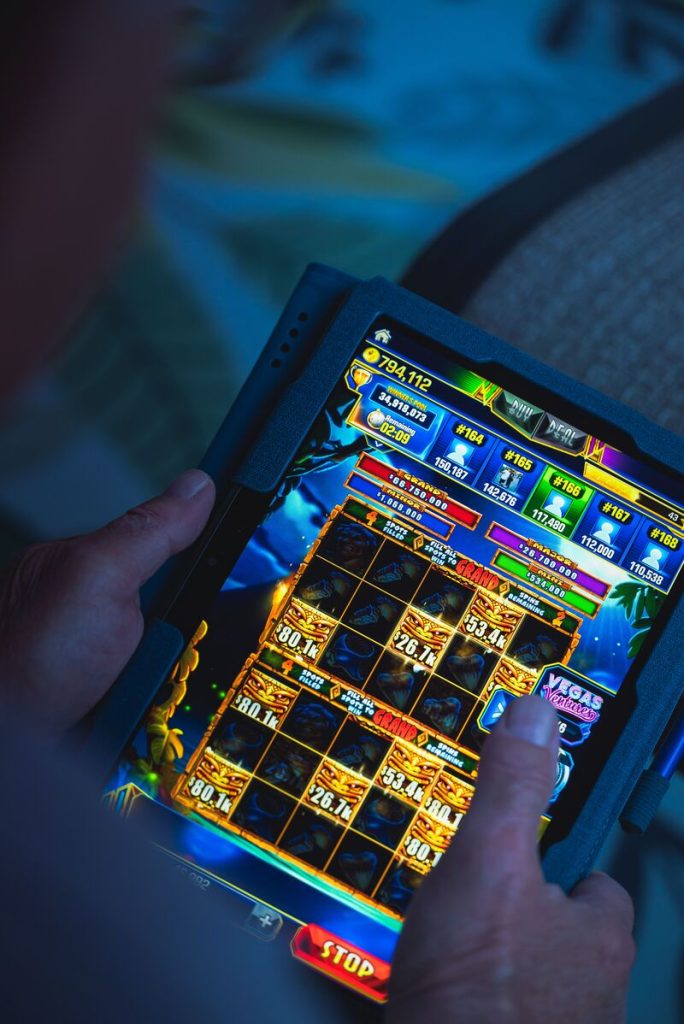
Menus deserve the same attention. BetUS lists stake limits and separates “Play for Fun” from “Play for Real” on many online casino slots. On a phone, choices involving money warrant clear labels and enough separation to avoid accidental selection. Easy tapping shouldn’t mean uncertainty about what a tap commits.
Testing Means Holding the Phone
A layout that looks tidy on a development monitor may feel awkward after twenty minutes. Fireproof designer Mark Hamilton specifically urged developers to test longer sessions, noting the discomfort that can follow continuous finger contact.
Mobile game development needs that physical testing. Watch where people rest their thumbs, which objects they try to touch and whether they repeatedly reposition the device.
Mobile gaming UX includes those ordinary movements. If someone keeps adjusting their grip to reach an essential command, the interface still needs work.
FAQs
What is touchscreen game design?
It’s everything a developer has to work out when fingers replace buttons. How far should a character move when someone swipes? What happens if they hold a finger down instead of tapping? Even where the menu sits matters. A PC game squeezed onto a smaller screen won’t necessarily play well.
How are touchscreen games different from console games?
Console players can keep their eyes on the action while their fingers handle the controller. Phones are different. To move something, you might have to touch it directly, sometimes covering the very thing you’re trying to see. That creates problems for games with small targets or crowded screens. There’s only so much space for controls before they start getting in the player’s way.
What are the most common touchscreen game controls?
Controls vary from game to game. One might use a quick tap to pick up an item but require a longer press to charge a weapon. In a puzzle, you could drag pieces into position. A fighting game might have you swipe to dodge an attack. More complicated movement sometimes calls for a virtual joystick, while zooming usually involves pinching or spreading two fingers across the screen.
Why is touchscreen design important for mobile games?
Imagine missing a jump because the button was too close to the edge of your phone. You made the right decision, but the game registered something else. That’s what awkward touch controls can do. Players need buttons they can reach, enough space to see what’s happening and a clear indication that the game received their input.